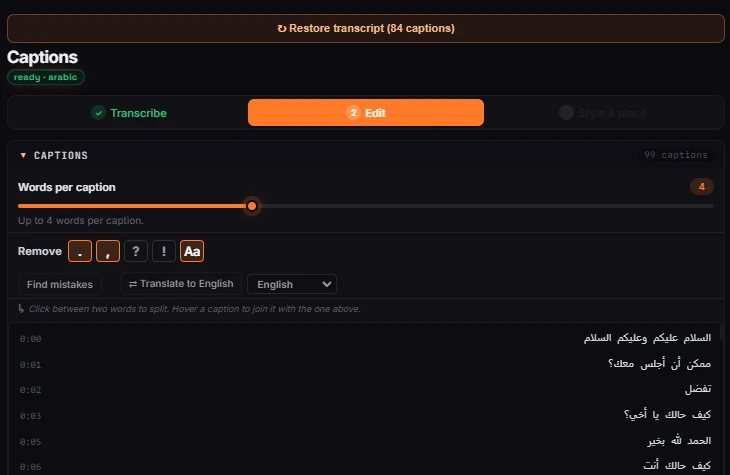
Prepare
Subtitle lines, ready to place
- Words per subtitle
- Punctuation on or off
- Translate to English
Add Arabic subtitles in Premiere Pro without typing a line. FlowCut transcribes the Arabic, builds an editable Premiere caption track and exports .srt files for every platform and client.
No card required. Just your email.
The words get used loosely, but for delivery they mean different things. Captions on social video are usually burned into the picture and styled to grab attention. Subtitles are a text track that stays separate from the picture: a caption track inside Premiere Pro, or an .srt file that a player, YouTube or a broadcaster loads on top of the video.
This guide is about the second kind: Arabic subtitles in Premiere Pro that you can edit, switch on and off, and hand over as a file. For styled on-screen text, see Arabic captions in Premiere Pro.
Select your clip and transcribe it in the FlowCut panel. Arabic is recognised on your computer.
Set names your way, split or join lines, and choose how many words each subtitle holds.
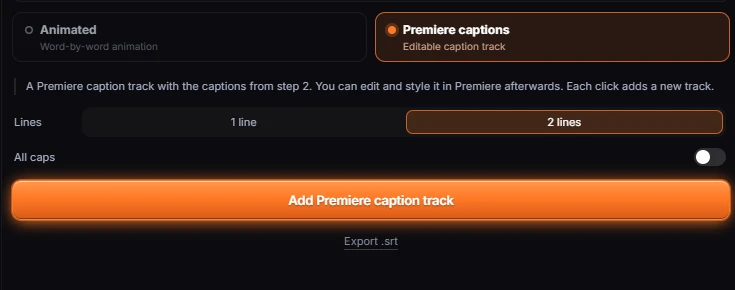
Pick one or two lines and, for Latin text, All caps if you want it.
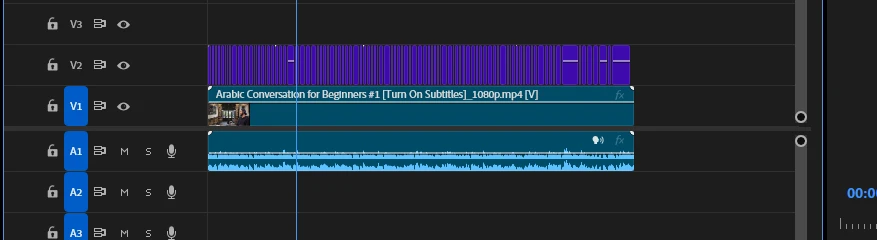
One click creates an editable Arabic caption track in your sequence. Or export an .srt.
The Premiere captions option creates a real caption track in your sequence, with the subtitles from your edited transcript. You can restyle it in Premiere afterwards like any caption track. Each click adds a new track, so you can keep an Arabic version and an English version side by side in one sequence and switch between them before export.
| Where the subtitles go | What to deliver |
|---|---|
| YouTube | Upload the Arabic .srt as a subtitle track |
| Client or agency | An Arabic .srt plus the video, so they can edit the text |
| Broadcast or festival | The .srt your distributor asks for, with an English version |
| Your own player or course platform | The .srt file next to the video |
| Social platforms | Usually animated captions in the picture instead |
Export the .srt straight from the panel. The timing comes from the transcript, so every Arabic line already sits where it is spoken.
Arabic subtitles without typing a line
Try FlowCut free for three days, no card. Then $39 once with subtitles, captions and everything else.
Clients and translators often send an .srt. Import it into FlowCut and you are back in the same workflow: edit the lines, then add them as a caption track or as animated captions. Old subtitle files from previous projects can be reused the same way.
Bilingual delivery is common for Arabic content. Transcribe the Arabic, translate the transcript in the panel, and add the English as a second caption track or a second .srt. The full flow is in translate Arabic video to English subtitles.
Typing Arabic subtitles by hand takes hours per video, and online tools add uploads, credits and a file to line up again. FlowCut keeps everything in Premiere Pro, on your computer, for one payment. It is the Premiere Pro plugin with no subscription that handles the subtitles and the rest of the edit. See every feature on the FlowCut plugin page or start from the Arabic transcript in Premiere Pro guide.
Transcribe your clip in Arabic in FlowCut, edit the lines, choose Premiere captions and add the caption track, or export an .srt.
Yes. The caption track is a normal Premiere caption track, and you can also edit the transcript in FlowCut and add a new track.
Yes. Export the .srt from the FlowCut panel with the timing from your transcript.
Yes. Import it into FlowCut, edit it and add it as a caption track or animated captions.
Yes. Each click adds a new caption track, so the Arabic and the translated English can sit side by side.
Try FlowCut free for three days, no card. Then $39 once with subtitles, captions and everything else.
No card required. Just your email.