The problem with Arabic transcripts in Premiere
Premiere Pro has a Text panel and speech to text, and for many languages it is a fine place
to start. For Arabic, editors usually end up working around it: transcribing in a separate
online tool, downloading a subtitle file and importing it back, then fixing the timing by hand
when the lines drift.
An Arabic transcript in Premiere Pro should behave like any other part of the edit. It should
come from the sequence you are cutting, stay in sync with it, and be editable where you work.
That is the job FlowCut was built for, as a Premiere Pro plugin with no subscription
that you pay for once.
How to make an Arabic transcript in Premiere Pro with FlowCut
Open FlowCut in Premiere
Window, Extensions, FlowCut. The panel docks next to your timeline like any other panel.
Add the Arabic pack
One click downloads the Arabic speech pack the first time. After that it is always ready.
Transcribe the sequence
Choose Arabic and run it. The transcript appears in the panel, every word timed to your audio.
Customize and place
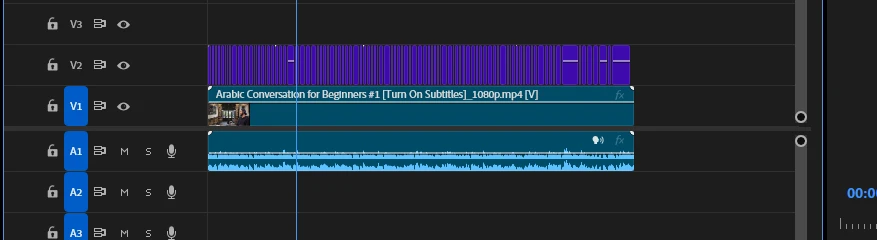
Adjust any word, set the words per line, then place captions on the timeline or export an .srt.
A fully customizable Arabic transcript
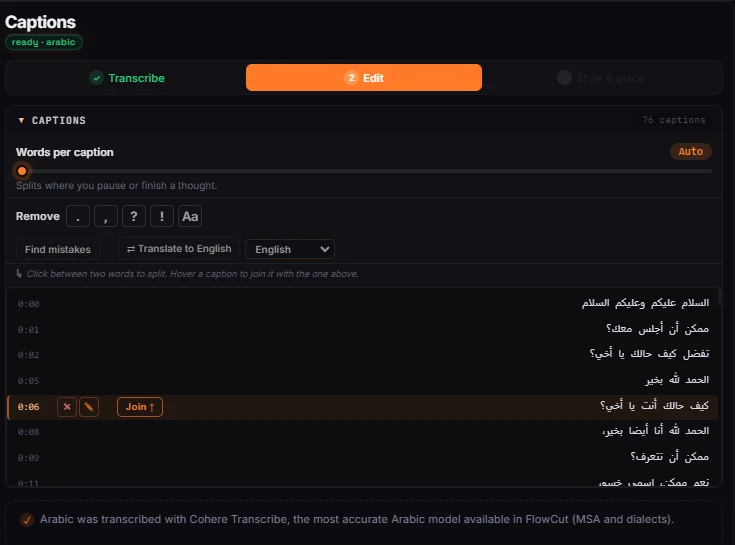
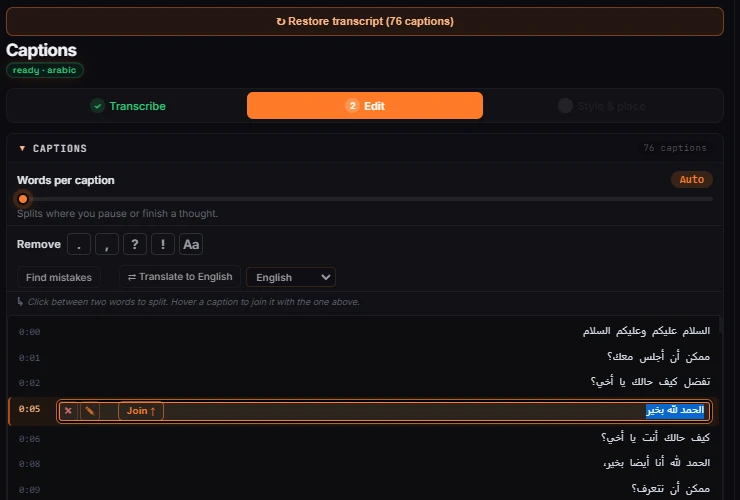
The transcript in FlowCut is a working document you shape to your style. Arabic rows read
right to left, and you can edit a word, split a line, join two lines or remove a segment before
anything touches your timeline. Write a brand name or a creator's catchphrase your way once, and
it appears that way in every caption made from it.
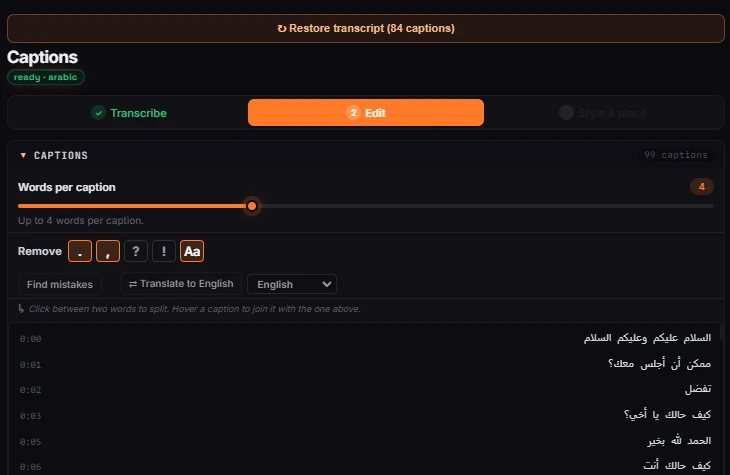
Two small tools save a lot of clicks on Arabic projects. The punctuation remover clears
commas and full stops in one click, which many creators prefer for short-form captions. The
words per segment setter decides how long each caption line is, so text never runs off the
frame on a vertical video.
What you can do with the transcript next
Premiere's own tools versus FlowCut for Arabic
Premiere's built-in speech to text depends on Adobe's language list, and Arabic support there
has been a long-running request from editors. FlowCut brings its own Arabic speech pack, so
Arabic does not depend on that list. Check Adobe's current list for your version, and use
whichever gives you the transcript you need.
The other difference is where the work happens. FlowCut keeps the transcript, the captions,
the silence cutter and the safe margins in one panel. You do not jump between the Text panel,
an online tool and the Essential Graphics panel to finish one reel.
Works with any Arabic project
Talking-head reels, interviews with two speakers, podcasts, ads, news-style pieces, vlogs.
The Arabic pack covers Modern Standard Arabic and the Gulf, Levantine and Egyptian dialects,
which matters when one client speaks formal Arabic and the next speaks the way they talk at
home. Dialect transcription has its own guide.
Because the transcript is made on your computer, it also works on projects you cannot upload:
unreleased episodes, client footage under NDA, internal company videos.
Arabic speech to text offline explains how.
A typical Arabic reel, start to finish
Here is how a one-minute Arabic talking-head reel usually goes through FlowCut, all in the
same panel:
- Optimised sequence. Create a vertical, FHD or 4K sequence that is ready
to use, instead of setting it up by hand.
- Silence cut. Remove the pauses first, so the transcript and the captions
only follow what was actually said.
- Arabic transcript. Transcribe the tightened sequence and set names and
brand words in your house style.
- Captions. Choose static or animated Arabic captions and place them, with
two to four words per line for a phone screen.
- Safe margins. Switch on the guides for the platform and nudge anything
the buttons would cover.
- Grade and finish. Add a LUT, an overlay or a text preset from the same
panel, then export.
Each step is a few clicks, and none of them sends you to a browser. The transcript you made in
step three is also the one you export as an .srt when the client asks for subtitle files.
What you need
- Premiere Pro 2019 or newer, on Mac or Windows.
- The Arabic speech pack, added once from the panel.
- FlowCut: free for three days, then $39 once, on two computers.
Everything else FlowCut does in Premiere is listed on the FlowCut plugin page.
Every other Arabic topic, from dialects to translation, is collected in our Arabic guides.